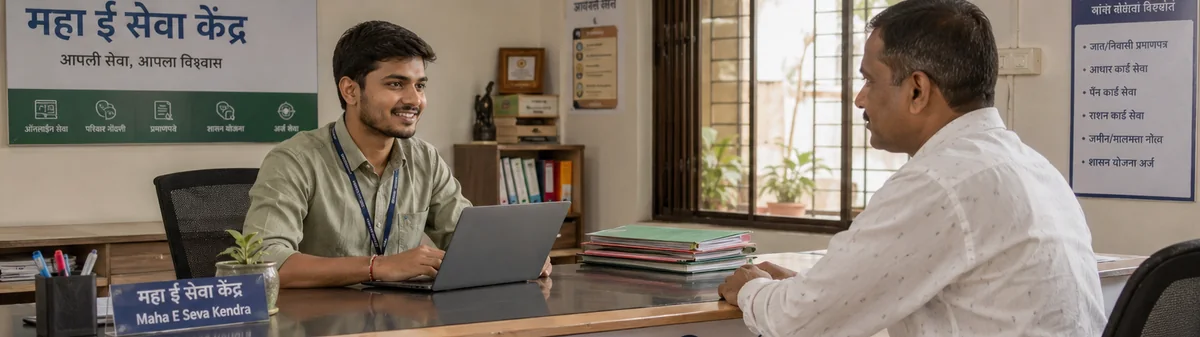
What is an Aaple Sarkar Seva Kendra operator?
An Aaple Sarkar Seva Kendra operator — known interchangeably as a Village Level Entrepreneur (VLE) or Common Service Centre (CSC) operator — is a small-business owner authorised to deliver citizen-facing government services through a local kiosk on behalf of the Government of Maharashtra under the Aaple Sarkar programme. Operators handle requests for caste, domicile, and income certificates, ration card services, Aadhaar updates, PAN applications, electricity and water bill payments, and several dozen other state services covered under the Aaple Sarkar umbrella.
A typical Seva Kendra serves between 30 and 150 citizens a day. Each visit involves verifying the citizen's identity (usually with an Aadhaar card), collecting supporting paperwork, filling in a portal form, paying any government fee, generating a receipt for the citizen, and then waiting for the certificate to be issued so the citizen can collect it later. An operator who runs this manually with paper books and a generic billing app spends most of the day on data entry — and pays the price every time a citizen returns asking "where is my application?"
What software does an Aaple Sarkar Seva Kendra operator need?
Useful operator software has to do four jobs without making the operator switch between apps:
- Billing. Print a receipt for the citizen with the service name, government fee, and operator service charge — in Marathi or English, on whatever printer the kiosk owns. Track the day's collection without manual tally.
- Application tracking. Each citizen request needs a status (received, submitted to portal, in process, ready for collection) so the operator can answer "where is my certificate?" without scrolling through a notebook.
- Document store. Aadhaar, PAN, ration card, supporting affidavits — keep them organised by citizen and family so the next visit doesn't require re-scanning the same paperwork.
- Family records. Many services reuse the same household details. The second time a family visits, the operator should be one click away from their existing record, not retyping six fields.
Most generic billing software does (1) and stops there. Most CSC software vendors do (1) and (2) but lock you into one desktop computer. Digi SetuSeva does all four — in one cloud app you open from any browser, with your data encrypted and backed up automatically.
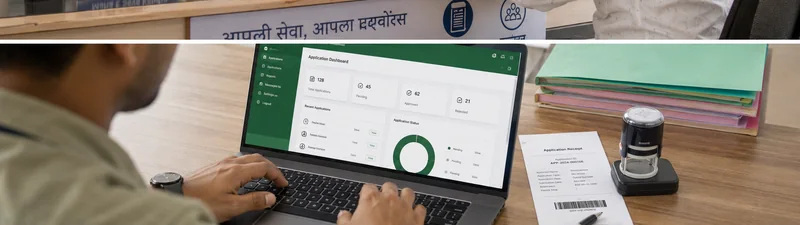
What Digi SetuSeva does for an Aaple Sarkar Seva Kendra operator
- Bilingual Marathi + English UI. Switch languages at any time. Print receipts in either language. The whole interface — every label, every error message, every report — is translated, not just the homepage.
- Aadhaar & PAN OCR. Scan a citizen's Aadhaar or PAN card with your laptop camera or any document scanner; the platform reads the number, name, and date of birth and pre-fills the application form. Supports both Devanagari and Latin scripts.
- Application tracker with state machine. Every citizen request moves through defined states (intake → submitted → in process → ready → collected) and the operator can see a list of "ready for collection" applications when a citizen walks back in.
- Family records. Group members under one family and reuse address, ration card number, and contact details across everyone. A returning family is one click away.
- Receipt printing and bill management. Configure the services you offer and the operator service charge once; the platform prices each transaction automatically and prints a GST-aware receipt the citizen can keep.
- Document management with R2 storage. Scanned PDFs are stored in Cloudflare R2 and indexed against the citizen and the application — find any document by name, family, or service in seconds.
- Access from any device. Open Digi SetuSeva in any browser — the counter laptop, the back-office desktop, or your phone — and you are always looking at the same live records. Nothing to install, and your data is backed up automatically so a failed hard drive never means lost work.
Why a cloud platform matters for a Seva Kendra
For years the only choice for kiosk software was a desktop program installed on one computer. It works — until that computer is stolen, the hard drive dies, a virus locks it, or you simply buy a new laptop. When that happens, every citizen record, every scanned document, and every day's collection history can vanish with it. For a small operator, that is not an inconvenience; it is a disaster.
Digi SetuSeva runs in the cloud instead. Your data lives in a managed, encrypted database that is backed up continuously, and you reach it by opening a web page — no installation, no licence file, no "which computer is my data on?" There is nothing to lose when hardware fails, and nothing to reinstall when you upgrade your kiosk.
It also means you are never tied to one desk. Bill a citizen at the counter, check an application's status from your phone between buses, or finish the day's reconciliation from home — it is the same live data everywhere, always on the latest version, with no manual updates to run.
How Digi SetuSeva compares to other CSC software
There are a handful of CSC-flavoured tools available in India today — VLE Plus, SmartCSCTools, and a long tail of generic billing apps that operators have stretched to fit. The honest differences:
- Cloud access vs locked to one PC. Most CSC tools are a desktop install tied to a single computer — lose that PC and you can lose your records. Digi SetuSeva runs in the cloud: open it from any device, with automatic backups.
- Bilingual vs English-only. Most tools are English-only. Digi SetuSeva ships full Marathi.
- Automatic backups vs manual or none. Most tools leave backups to you — or skip them. Digi SetuSeva stores every record in a continuously backed-up cloud database, so a dead hard drive or a stolen laptop never takes your citizen data with it.
- Field-level encryption vs plain text. Aadhaar and other PII fields are encrypted at rest with AES-256-GCM. Most tools store this data unencrypted.
- DPDP Act 2023 compliant by design. The Digital Personal Data Protection Act 2023 places legal obligations on anyone processing citizen data. Digi SetuSeva is built around the Act's principles — minimal collection, encryption, audit log, data subject rights.
- Transparent pricing. One-time ₹1,500 registration (includes ₹500 wallet credit), then ₹3 per issued receipt — no monthly fee, published on the /pricing page. Most competitors hide pricing behind a "contact us" form.
None of this is a knock against the existing tools — they have served the community. It just means a Seva Kendra running in 2026, under a new privacy law, with rural connectivity, deserves a tool built for those conditions specifically.
Pricing for Aaple Sarkar Seva Kendra operators
Pay for what you use, no surprises:
- ₹1,500 one-time registration — includes ₹500 prepaid wallet credit, enough for 166 receipts.
- ₹3 per issued receipt after that, debited from your prepaid wallet.
- No monthly fee, no subscription — an idle month costs ₹0. Unlimited citizens, applications, and document storage.
No per-citizen charge. No hidden tiers. No setup-after-call sales process. See the pricing section for the full breakdown.
How to get started in 3 steps
- Sign up. Visit digisetuseva.in/auth/register and create your operator account with your name, mobile number, and email. Takes about two minutes.
- Set up your Seva Kendra. Add your kiosk address, the services you offer, and your service charge. Optional: import your existing family book if you have one in Excel or PDF.
- Bill your first citizen. When the next citizen walks in, scan their Aadhaar, pick the service, print the receipt. The application appears in your tracker and you can update its status as the certificate moves through the portal.
Frequently asked questions
What is an Aaple Sarkar Seva Kendra operator?
An operator is a Village Level Entrepreneur authorised under the Maharashtra government's Aaple Sarkar programme to deliver citizen-facing government services — caste, income, domicile certificates, ration card services, Aadhaar and PAN updates, bill payments, and several other state services — through a local kiosk.
What software does an Aaple Sarkar Seva Kendra operator need?
Four things in one place: a billing system that prints receipts and tracks daily revenue per service; an application tracker that follows each citizen request from intake to delivery; a document store for the Aadhaar, PAN, and supporting paperwork the citizen brings; and a family record book so repeat visits don't require re-keying details. Digi SetuSeva covers all four in a single cloud-based app you open in any browser.
Can I access Digi SetuSeva from more than one computer?
Yes. Digi SetuSeva is a cloud app, so your records are available from any computer or phone with a browser — the counter, the back office, or home. Everything is backed up automatically, so a failed hard drive or a new laptop never means lost data. An internet connection is required, the same as any modern cloud tool.
Is Digi SetuSeva available in Marathi?
Yes. The entire interface is available in both Marathi (आपले सरकार सेवा केंद्र) and English. Operators can switch languages at any time, and citizen-facing receipts can be printed in either language.
How much does Digi SetuSeva cost for a Seva Kendra operator?
One-time registration of ₹1,500, which includes ₹500 prepaid wallet credit (166 receipts). After that just ₹3 per issued receipt — no monthly fee, no subscription. Pricing is published on the pricing page — no hidden tiers, no per-citizen charges, no setup-after-call sales process.
Is citizen Aadhaar data encrypted?
Yes. Aadhaar numbers, phone numbers, addresses, and other personally identifiable fields are encrypted at the field level with AES-256-GCM. The platform is built to comply with India's Digital Personal Data Protection Act 2023 and uses Google OAuth with the minimal drive.file scope only — it cannot read any other files in your Drive.
Can I run Digi SetuSeva on my existing computer?
Yes. Digi SetuSeva runs in any modern browser — Chrome, Edge, or Firefox — on the computer you already own. There is nothing to install and no special hardware needed.